Overview
Manufacturing technology evolves fast, and keeping up without breaking the bank feels challenging. 3D printing has moved from hobbyist workshops to factory floors, changing how companies think about production costs. But here's the real question most businesses face: How do you plan a budget that includes 3D printing without overspending or missing opportunities?
This article walks you through practical budgeting strategies for adding additive manufacturing to your production mix. We'll look at real costs, compare options, and help you make smart financial decisions—whether you're running a small shop or managing a large factory.
Introduction
Budgeting for 3D printing in manufacturing isn't just about buying a printer and feeding it material. It's about understanding when this technology saves money, when it costs more, and how to position your business for what comes next.
I've spent years at Yigu technology helping clients figure this out. Some come in thinking 3D printing will solve all their problems. Others assume it's too expensive to consider. The truth sits somewhere in the middle. Smart budgeting means knowing exactly where 3D printing fits your specific production needs.
Let's break down the real costs, compare them to traditional methods, and build a framework you can actually use.
What Does 3D Printing Actually Cost?
Breaking Down the Main Expenses
Before you can budget, you need to understand where the money goes. 3D printing involves three major cost categories:
Equipment costs vary wildly based on what you need. A basic desktop printer might run $200-500, perfect for testing ideas or making simple prototypes. Mid-range machines cost $500-3,000 and handle more demanding work. Industrial printers? Those start around $5,000 and can exceed $100,000 for metal systems.
Material costs depend on what you're printing. Common plastics like PLA run $15-30 per kilogram. Engineering materials like nylon cost $30-80 per kilogram. Metal powders get expensive fast—aluminum at $50-150 per kilogram, titanium hitting $500-1,500 per kilogram.
Operational costs include electricity, maintenance, and software. A desktop printer might add $0.15-0.75 to your daily electric bill. Industrial systems can consume 1-5 kilowatts or more. Maintenance runs $50-500 yearly for desktop units, thousands for industrial gear.
Real Cost Comparison: 3D Printing vs Traditional Methods
| Production Scenario | 3D Printing Cost | Traditional Manufacturing Cost |
|---|---|---|
| Small batch (500 simple plastic parts) | $150-300 | $5,500-16,500 (includes mold cost) |
| Large scale (10,000 simple parts) | $3,000+ | $1,000-2,000 (after mold paid) |
| Complex metal part (aerospace grade) | $1,500-2,500 | $5,000-10,000+ |
The pattern is clear: 3D printing wins for small batches and complex geometries. Traditional methods dominate high-volume simple parts. Your budget strategy should reflect this reality.
Key Questions Before You Spend
What Are You Actually Making?
This sounds basic, but I've watched companies buy expensive equipment without answering it. Start with your products:
Low-volume production (under 100 units per run) fits 3D printing perfectly. A custom jewelry maker creating unique pieces doesn't need expensive molds. A desktop printer around $500-2,000 handles the work.
High-volume production (thousands of units) usually favors traditional methods—unless your parts have complexity that only additive manufacturing can achieve.
Product complexity matters enormously. Simple plastic containers? Injection molding wins on cost. Turbine blades with internal cooling channels? Only 3D printing can make them in one piece.
How Precise Do You Need to Be?
Precision requirements directly impact your equipment budget:
- Low precision (±0.2-0.5 mm): Entry-level FDM printers work fine for concept models
- Medium precision (±0.1-0.2 mm): Mid-range machines handle most functional parts
- High precision (±0.01-0.05 mm): Industrial SLA or metal systems required—budget accordingly
A dental lab making implants needs the high end. A hobbyist prototyping board games can start cheap.
Choosing Your Technology Wisely
Matching Technology to Needs
| Technology | Equipment Cost | Material Cost | Best For | Surface Finish |
|---|---|---|---|---|
| FDM | $200-3,000 | Low ($15-30/kg) | Prototypes, simple parts | Rough |
| SLA | $5,000-100,000+ | Medium ($50-150/L) | Detailed models, aesthetic parts | Smooth |
| SLS/SLM | $50,000-300,000+ | High ($100-1,500/kg) | Functional metal parts | Rough (needs post-processing) |
Your choice here makes or breaks your budget. A company I worked with bought an expensive metal printer for parts they could have outsourced. They spent $200,000 on equipment plus $50,000 yearly on maintenance—for work they needed twice a month. Match the machine to the actual workload.
Material Strategy Saves Money
Smart material choices cut costs without sacrificing quality:
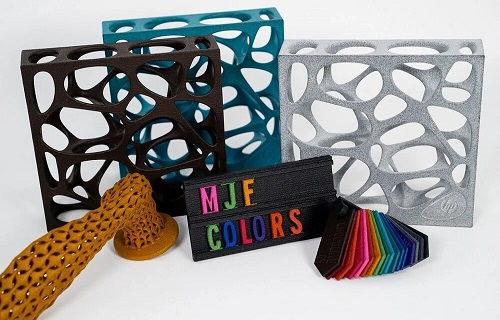
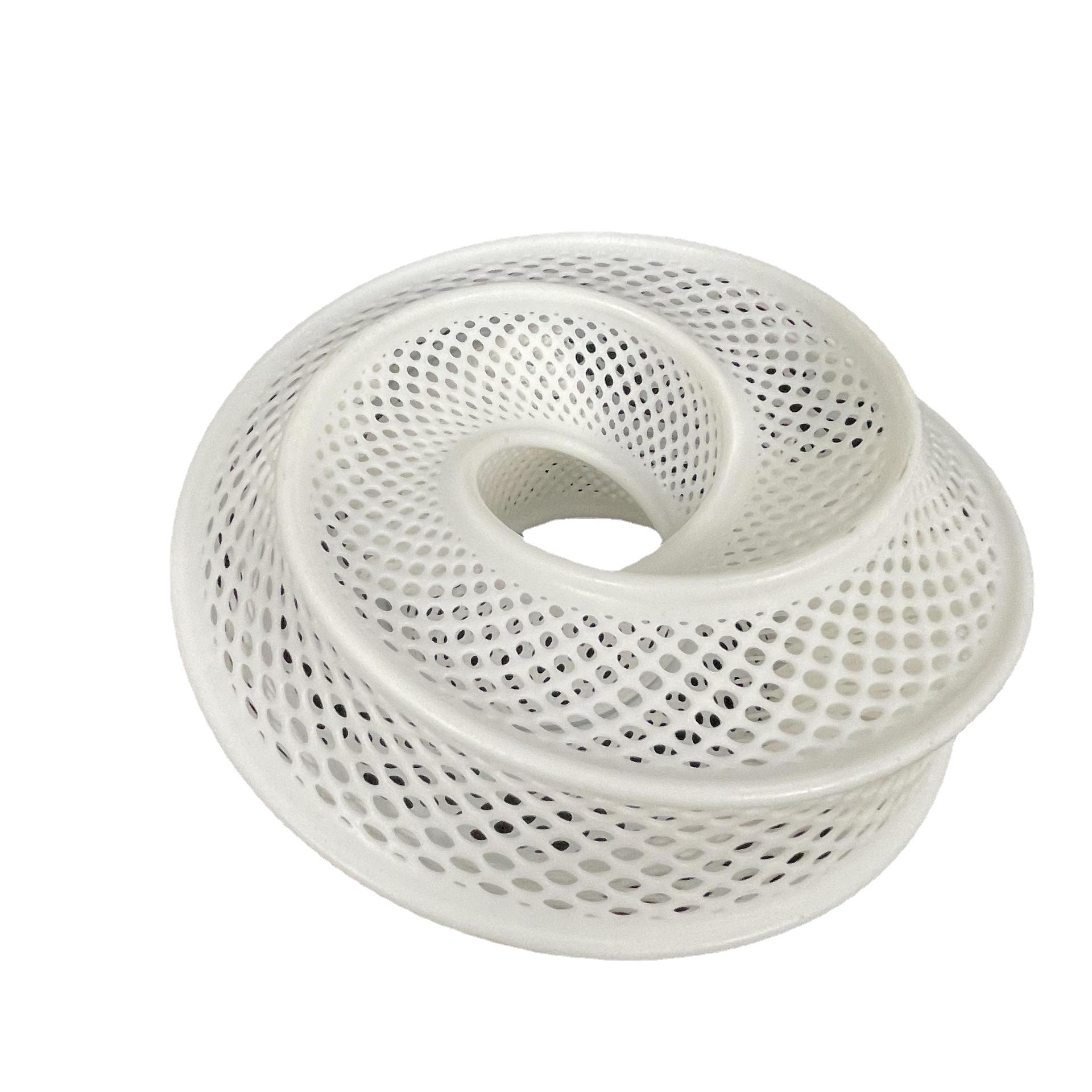
- Use hollow structures and lattice designs. A client designing large architectural models reduced material use by 40% with internal lattices—same strength, less cost.
- Consider material substitution. Can a less expensive alloy meet your strength requirements? Sometimes yes.
- Recycle where possible. Some plastics can be ground and re-extruded into filament. Not all materials work for this, but when they do, savings add up.
In-House or Outsource?
The Make-or-Buy Decision
This question comes up constantly. Here's how to think about it:
| Factor | In-House | Outsourced |
|---|---|---|
| Initial cost | High (equipment, training, software) | Low (pay per print) |
| Control | Full control | Limited |
| IP protection | Strong | Varies by agreement |
| Equipment access | What you own | Wide range available |
| High-volume cost | Lower long-term | Higher long-term |
| Space/maintenance | Required | None |
When to bring it in-house:
- You print frequently (weekly or more)
- Designs change often and need quick iteration
- IP concerns are critical
- You have space and staff
When to outsource:
- Printing needs are sporadic
- You're testing the waters
- You need access to multiple technologies
- Budget for equipment isn't available
A medical device startup we advised started with outsourcing while validating their design. After 18 months of steady orders, they brought production in-house. That sequencing saved them about $40,000 in early years.
Real-World Budget Examples
Case Study: Small Manufacturer Adds Capability
A client making custom industrial sensors needed 50-200 plastic housings monthly. Traditional machining cost $45 per part with 3-week lead times. Options:
Option A: Outsource 3D printing
- Cost per part: $18-25
- Lead time: 5-7 days
- Annual cost (1,200 parts): ~$26,000
Option B: Buy desktop industrial printer
- Printer investment: $3,500
- Material cost: $8-12 per part
- Training/installation: $1,000
- Annual cost year one: ~$18,000
- Annual cost subsequent years: ~$12,000
They bought the printer. Payback period: 14 months.
Case Study: Large Manufacturer Evaluates Metal Printing
An aerospace supplier considered bringing titanium bracket production in-house. Current machining cost: $850 per part, 8-week lead time. Volume: 500 parts annually.
In-house metal 3D printing:
- Printer cost: $450,000
- Facility upgrades: $75,000
- Training/certification: $50,000
- Material cost: $400 per part
- Post-processing equipment: $60,000
- Annual operating cost: $120,000
Outsourced metal printing:
- Cost per part: $650
- Lead time: 3 weeks
- Annual cost: $325,000
Stick with machining:
- Cost per part: $850
- Lead time: 8 weeks
- Annual cost: $425,000
They chose outsourcing. The math showed in-house required 5+ years for payback—too long given technology evolution. Outsourcing gave them speed without massive capital commitment.
Building Your 3D Printing Budget
Step-by-Step Framework
Step 1: Audit your current production
List every part you make. Note volumes, complexities, lead times, and current costs. Look for patterns—where are the pain points?
Step 2: Identify candidate parts for 3D printing
Good candidates have:
- Volumes under 1,000 units annually
- Complex geometries
- Long lead times currently
- Frequent design changes
Step 3: Get quotes for outsourced printing
Send files to 3-5 service bureaus. Note pricing, lead times, and material options. This gives you baseline numbers.
Step 4: Calculate in-house scenarios
For each printer you're considering:
- Equipment cost (include installation)
- Material cost per part
- Labor cost (training, operation, post-processing)
- Maintenance (10-15% of equipment cost annually)
- Facility costs (space, power)
Step 5: Compare scenarios
Run 1-year, 3-year, and 5-year projections. Include technology obsolescence risk—printers improve fast.
Step 6: Start small
If in-house makes sense, start with one printer. Learn the workflow before scaling.
Future Trends Affecting Your Budget
What's Coming in 3D Printing
Faster machines mean lower per-part costs. Print speeds are doubling every 2-3 years.
More materials at lower prices. New metal powders and engineering plastics enter the market regularly, driving competition.
Hybrid manufacturing combines 3D printing with CNC machining. This approach uses printing for complex features and machining for precision surfaces.
Software improvements reduce waste and optimize designs automatically. Better slicing algorithms mean less material use and faster prints.
How to Plan for Uncertainty
Lease instead of buy for first-generation equipment. Technology changes fast—ownership locks you in.
Build relationships with multiple service providers. When you need capacity fast, having partners helps.
Set aside 15-20% of your equipment budget for training and experimentation. The companies that succeed with 3D printing invest in people, not just machines.
Conclusion
Budgeting for 3D printing in manufacturing isn't about predicting the future perfectly. It's about understanding your real needs, knowing the true costs, and making flexible decisions that let you adapt.
Start with your products, not the technology. Let production requirements drive equipment choices. Compare in-house and outsourcing honestly. And remember: the goal isn't to use 3D printing everywhere—it's to use it where it creates real value.
At Yigu technology, we've seen companies save 40-60% on small-batch production by switching to 3D printed molds and parts. We've also seen companies waste money on equipment they didn't need. The difference comes down to planning.
Smart budgeting means knowing when to print, when to machine, and when to call a partner. Get that right, and you're ready for whatever manufacturing throws at you next.
FAQ
Is 3D printing always cheaper than traditional manufacturing?
No. 3D printing wins for small batches (under 1,000 parts) and complex geometries. Traditional methods like injection molding are cheaper for high-volume, simple parts. The crossover point varies by part, but typically falls between 500-5,000 units.
What materials work best for 3D printing?
Common plastics include PLA (easiest, cheapest), ABS (durable), and nylon (strong, flexible). For metals, aluminum, stainless steel, and titanium are popular. Material cost ranges from $15/kg for basic plastic to $1,500/kg for titanium powder.
How do I know if in-house printing makes sense?
Calculate your annual printing volume. If you need parts weekly and have predictable demand, in-house can pay off. If you print sporadically or need multiple technologies, outsourcing often works better. Include all costs: equipment, materials, labor, maintenance, and space.
What's the biggest mistake companies make with 3D printing budgets?
Buying equipment before understanding their actual needs. We see companies invest $100,000+ in printers for work they could outsource for $10,000 annually. Start with outsourcing, track your usage, then invest when the math clearly works.
How fast does 3D printing technology change?
Equipment improves significantly every 2-3 years. Print speeds double, material options expand, and costs drop. This is why leasing or starting small makes sense—you avoid being locked into outdated technology.
Contact Yigu Technology for Custom Manufacturing
Need help figuring out your 3D printing strategy? At Yigu technology, we work with companies every day to optimize their manufacturing mix. Whether you need prototypes, low-volume production, or help deciding between in-house and outsourcing, our team brings real-world experience to your specific situation.
We offer:
- Free consultations on manufacturing options
- Quotes for outsourced 3D printing across multiple technologies
- Guidance on equipment selection if in-house makes sense
- Hybrid solutions combining printing with traditional methods
Stop guessing about your manufacturing future. [Contact Yigu Technology] today and let's build a plan that fits your budget and your products.